The CRM clean-up that makes every campaign perform better
A five stage order of operations for cleaning a B2B CRM, starting with the fields that break campaigns and ending with the rules that stop it filling up again.
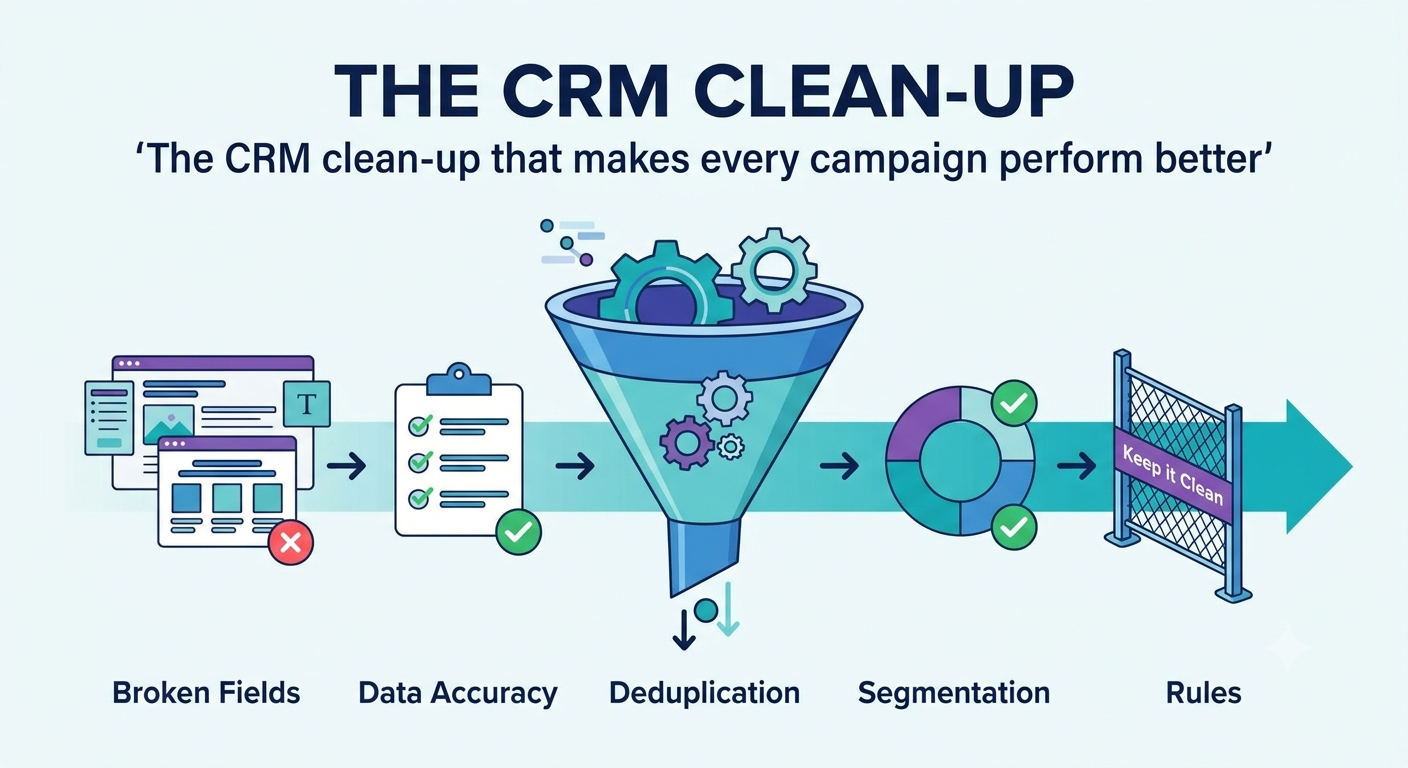
Every campaign that runs off your CRM inherits its data quality. Segments are built from fields, so a field that is empty or inconsistent quietly removes companies from the audience, and nobody notices because the campaign still runs and still reports a number.
The clean up itself is not complicated. The order is what makes it worth doing.
Back up first
Export everything before you change anything. Contacts, companies, deals, activities, with record IDs included.
Merges cannot be undone properly in most systems. A backup is the difference between a mistake and a disaster.
Stage one: remove what is genuinely dead
Start by shrinking the problem. You cannot clean what you do not need.
Delete:
- Records with no email address, no phone number and no activity ever
- Obvious test records, the ones with names like "asdf" and "test test"
- Contacts at companies that no longer exist
- Addresses that hard bounced and were never replaced
Archive rather than delete:
- Closed lost deals, which are often the best list in the building
- Contacts who left a company but whose company is still a customer or a target
- Anyone who unsubscribed, because you need that record to keep honouring it
That last point matters. Deleting someone who opted out means you can add them again by accident later, which is exactly what they asked you not to do.
Stage two: fix the fields campaigns actually use
This is the highest value stage and the one most often skipped.
List the fields your segments filter on. For most B2B teams that is a short list: company size, industry, country or region, job function or seniority, lifecycle stage, and owner.
Then measure how complete each one is. Not how many fields exist, how many are filled.
You will usually find one or two fields that look fine in the record view and are empty across a third of the database. Those are the fields silently shrinking every campaign you run.
Fix them in order of how often they are used in segmentation. Enrichment tools help for firmographics such as size and industry. Job function usually needs a mapping exercise, because people type their own titles and no two companies use the same ones.
While you are here, delete fields nobody uses. A custom field created for a campaign in 2023 that has been empty since is not neutral. It is one more thing on the form, one more column in the export, and one more field somebody might segment on by mistake.
Stage three: merge duplicates
Now, and not before. Merging into a database full of empty fields just gives you fewer records with empty fields.
Duplicates come in two shapes.
Contact duplicates, usually the same person with a work address and a personal one, or a married name change, or a typo. Match on email first, then on name plus company.
Company duplicates, which are worse. "Acme", "Acme Inc", "Acme Incorporated" and "acme.com" are four records, four sets of activity history, and four different owners arguing about who owns the account. Match on website domain rather than company name. Domains are unique, names are not.
Before merging, decide which record survives and which field wins when both have a value. Usually the most recently updated, but not always: an old record with a full activity history and a newer one with better firmographics both have something worth keeping.
Merge in small batches and check the result. Bulk merge tools are fast and cheerful and will happily join two different companies with similar names.
Stage four: standardise what people type
Free text fields drift. Country becomes "US", "USA", "United States" and "us". Industry becomes forty variants of the same six categories. Every one of those variants is a segment that misses records.
For each field that drives segmentation:
- Decide the allowed values, and keep the list short
- Convert existing values to the new list
- Change the field to a dropdown so it cannot drift again
- Set a default rather than leaving it empty
Job titles deserve their own treatment. Do not try to standardise the title itself. Map it to a seniority and a function in two separate fields, and segment on those. Titles will always be messy because people invent them. Seniority and function are stable.
Stage five: stop it filling up again
Without this stage you will do the same project next year.
Required fields at creation. Only the ones that genuinely drive segmentation. Make five fields required and people will fill them with rubbish to get past the form.
Dropdowns instead of free text wherever a fixed list is possible.
Deduplication rules on email and on company domain, applied at the point of entry.
Automatic enrichment where you can afford it, so firmographics are filled without anyone typing.
A named owner. Data quality with no owner degrades. It does not need to be a full time job, it needs to be somebody's job.
A monthly report. Completeness of each key field, duplicate count, records created with no owner. Ten minutes to read, and it turns a cliff edge into a small ongoing correction.
How to tell whether it worked
Measure before you start and again afterwards.
| What to measure | Why |
|---|---|
| Completeness of each segmentation field | The direct cause of shrinking audiences |
| Duplicate rate, contacts and companies | Wasted outreach and confused reporting |
| Bounce rate on the next campaign | The clearest external signal of list quality |
| Audience size for a standard segment | Should go up, because fewer records are excluded by empty fields |
| Time to build a list | The one the team will actually notice |
That last one is what gets you the budget to do it again. When building a segment stops involving a manual export and an afternoon in a spreadsheet, people remember.
What to do first if you only have a day
Back up. Then measure completeness on the three fields your campaigns filter on most, and fix the worst one. That single change usually gets you a bigger audience by the end of the day than a week of merging duplicates would.
Common questions
How long does a CRM clean up take?
For a small B2B database, a focused week gets you most of the benefit. The work that never ends is the maintenance, which is why the last stage matters more than the first four.
Should I delete old records or archive them?
Archive anything with a real history, such as a closed lost deal, because those are often your warmest future pipeline. Delete records with no email, no activity and no story attached. Export a full backup before either.
Can AI clean the database for me?
It is good at spotting likely duplicates and normalising job titles into groups. It should not be trusted to merge records or decide which value is correct, because a wrong merge is very hard to undo.
Link to this article
Writing about this? Copy the address, or the ready made link.
Get new stories by email
Join the list and be first to get our best stories when the newsletter starts. One click to unsubscribe.
Comments
No comments yet. Add the first one.