How to switch payroll providers without missing a payday
The order of operations for moving payroll providers, why a quarter boundary matters, what to export before you cancel, and the checks to run before the first payday on the new system.
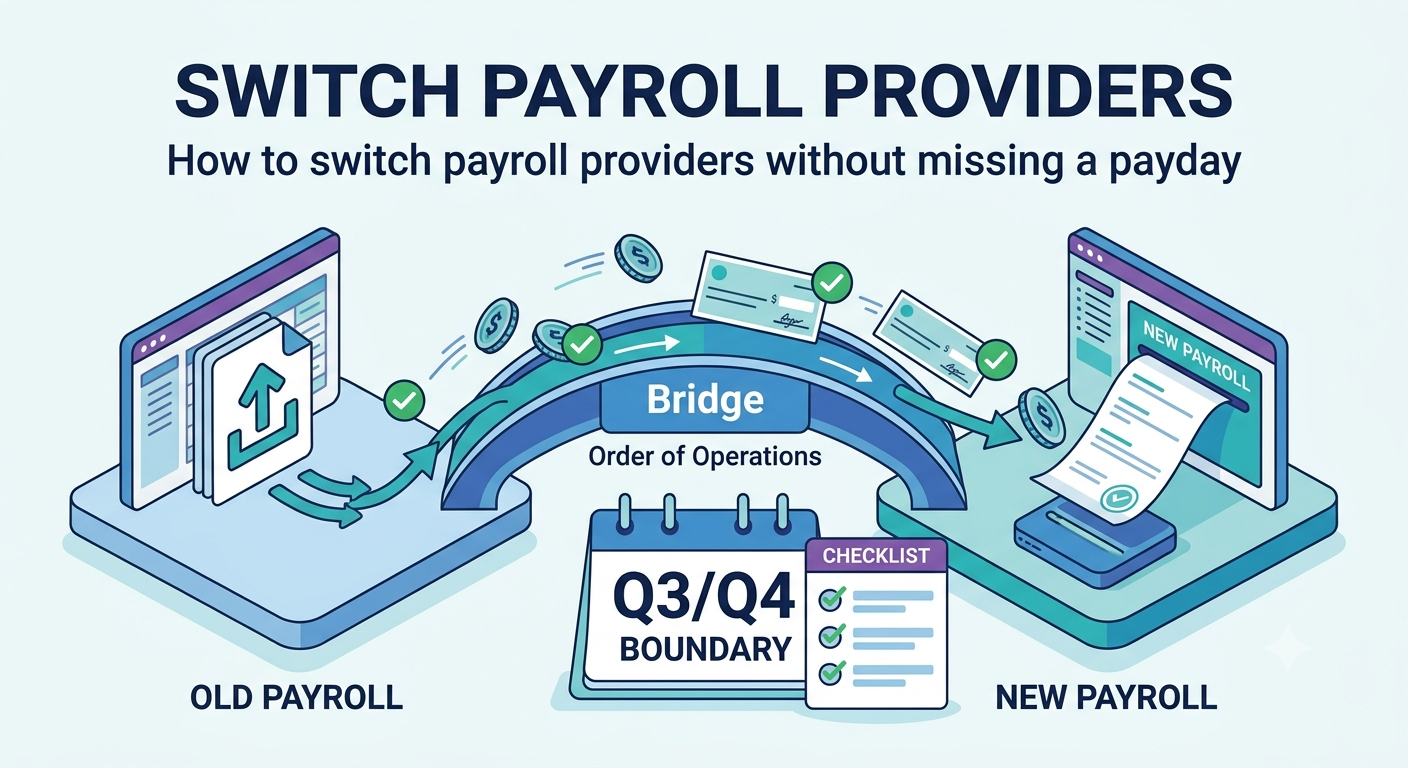
Payroll migrations go wrong in a specific way. Nobody misses the payday. What people miss is a tax deposit, a quarterly return, or a set of year to date figures that quietly did not carry across, and the problem appears weeks later as a letter.
Here is the order that avoids that, written for a small United States business.
Pick the date first
Best: the first pay period of the calendar year. Year to date totals start at zero, W-2 responsibility is clean, and there is no shared quarter to argue about.
Good: the first day of a calendar quarter. Quarterly filings belong entirely to one provider or the other.
Avoid: the middle of a quarter. It can be done, but you will be loading year to date figures by hand, and the responsibility for that quarter's filing has to be negotiated rather than assumed.
Avoid: anywhere near year end. December and January are the busiest weeks in payroll. Support queues are long and W-2 season is unforgiving.
Work backwards from the date. Give yourself at least four to six weeks, because the new provider's account setup and tax agency registrations are not instant.
Before you tell anyone: export everything
Do this while you are still a paying customer with a working login. Access after cancellation is not something to rely on.
Export and save locally:
- Year to date payroll registers for the current year, per employee
- Prior year payroll registers, ideally more than one year
- All filed returns, federal and state, for the current and prior years
- Copies of W-2s and 1099s already issued
- The employee list with pay rates, pay schedules, start dates and classifications
- Every active deduction and contribution, with the amounts and who they go to
- Benefit deductions and how they are treated for tax
- Accrued time off balances if the old system tracked them
- Your state unemployment rate notices
- Direct deposit details, if the system lets you export them
Keep these permanently. Federal and state record retention periods for payroll records are set by the IRS and the Department of Labor and are measured in years, so treat this as an archive rather than a temporary copy. [VERIFY: source, IRS and Department of Labor payroll record retention requirements]
Set up the new provider while the old one still runs
Do not cancel yet. Overlap is not wasted money, it is the whole plan.
Load the company details. EIN, state accounts, deposit schedule, unemployment rates. Get the deposit schedule from your IRS notice, not from memory, and confirm the new provider is set to the right one. [VERIFY: source, IRS Publication 15 deposit schedule rules]
Load year to date figures. This is the step that matters most. If year to date wages and withholding do not carry over correctly, Social Security wage base tracking and W-2 totals will both be wrong, and it will not be visible on a single pay stub.
Load employees. Rates, schedules, exempt or non exempt status, bank details, withholding elections.
Handle tax agency authorisations. Most providers need authority to file and deposit on your behalf. These registrations go through state agencies and can take weeks. Start them on day one of the project, not the week before go live.
Re-enter deductions. Retirement contributions, garnishments and benefit deductions do not migrate. Garnishments in particular are a legal obligation with their own deadlines, so check each one individually.
Run one payroll in parallel
For one pay period, run the numbers in both systems. Pay people from the old one.
Compare, per employee:
- Gross pay
- Each tax withheld
- Each deduction
- Net pay
- Employer taxes
- Year to date totals after the run
Anything that differs, find out why before you go live. Small differences are often rounding or a deduction set up slightly differently, and both are worth understanding rather than waving through.
This step is the whole safety net. Teams that skip it are the ones who discover in April that a retirement deduction has been coming out pre tax when it should have been post tax.
Agree who files what, in writing
Ask both providers, in email, and keep the replies:
- Which quarterly federal return does each of you file, and for which quarter?
- Which state returns, and for which periods?
- Who issues W-2s for the year, and does that split if we move mid year?
- Who makes the remaining tax deposits for the current period?
- On what date does the old provider stop filing?
"We assumed they were handling it" is how a missed filing happens, and the penalty lands on you, not on either provider.
Go live
Run the first payroll on the new system a few days earlier than you normally would, so there is room to fix something.
Check before you approve it: every employee is present, net pay matches the parallel run, the deposit is scheduled, and the bank details are right.
After the money lands, check that it actually landed. Ask people to confirm rather than assuming silence means success.
Tell employees before, not after. A short message explaining that the pay stub will look different, where the new portal is, and that the amount is unchanged, prevents most of the questions.
Only now, cancel the old provider
After the first payday on the new system has cleared, after you have confirmed the filing responsibilities in writing, and after every export above is saved somewhere you control.
Ask specifically about access after cancellation. Some providers keep a read only login available for a period, others cut it off. Do not find out which kind yours is afterwards.
The checklist
| Stage | Check |
|---|---|
| Timing | Starting on a quarter boundary, ideally the year |
| Export | Registers, returns, W-2s, rates, deductions saved locally |
| Setup | EIN, state accounts, deposit schedule, unemployment rates loaded |
| Setup | Year to date figures loaded and checked per employee |
| Setup | Tax agency authorisations submitted early |
| Setup | Every deduction and garnishment re-entered and verified |
| Parallel | One full period compared line by line |
| Agreement | Filing responsibility confirmed in writing by both providers |
| Go live | First run approved early, money confirmed received |
| Close | Old provider cancelled last, archive saved |
What to watch in the first quarter
Confirm the first tax deposit actually went out on the new system. Check the first quarterly return was filed by whoever agreed to file it. Check year to date totals still look right two or three runs in. And at year end, read the W-2s before they go out.
This article is general information, not tax or legal advice. Filing responsibilities and retention rules are set by the IRS, the Department of Labor and your state agencies. Confirm anything that matters with them or with your accountant.
Common questions
When is the best time to switch?
The first day of a calendar quarter, and the start of the year is best of all. Year to date figures carry over cleanly and there is no argument about who files the quarterly return.
Who files the returns for the changeover period?
Agree this in writing before you move. Some providers file for the quarter in which you leave, some stop immediately. This is the single most common gap in a payroll migration, and nobody discovers it until a notice arrives.
Can I switch mid quarter if I have to?
Yes, but you will have to load year to date figures by hand and confirm which provider is responsible for the quarterly filing. Budget more time and get the agreement in writing.
Link to this article
Writing about this? Copy the address, or the ready made link.
Get new stories by email
Join the list and be first to get our best stories when the newsletter starts. One click to unsubscribe.
Comments
No comments yet. Add the first one.